
Learn Power BI 2024, In the data-driven world of 2024, mastering business intelligence tools is essential for professionals seeking to excel in their careers. Power BI, developed by Microsoft, stands out as a leading business analytics service that enables users to visualize data and share insights across their organizations. This comprehensive guide will help you learn Power BI effectively, covering its features, benefits, and step-by-step instructions to get started.
Read More: Revolutionary Hypersonic Glide Vehicle HGV 202F 2024: Transforming Defense
What is Power BI?
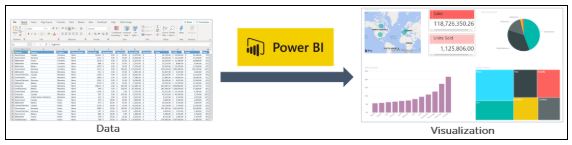
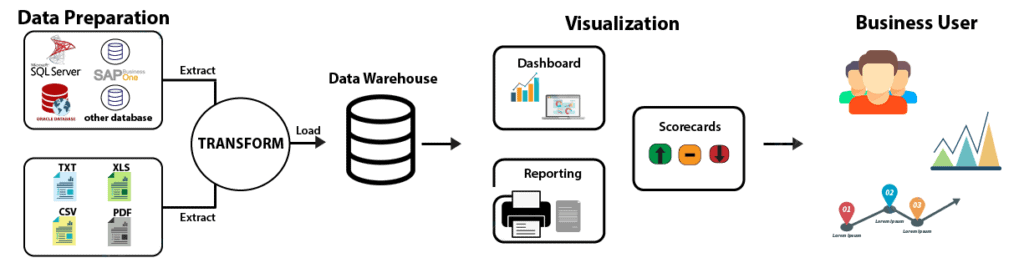
Power BI is a suite of business analytics tools designed to analyze data and share insights. It allows users to create interactive reports and dashboards, making it easier to visualize data and derive actionable insights. Power BI integrates seamlessly with various data sources, including Excel, SQL Server, and cloud-based databases, providing a robust platform for data analysis.
Why Learn Power BI?
Learning Power BI in 2024 offers numerous advantages:
1. High Demand for Data Skills
The demand for data professionals is on the rise. Organizations across industries seek individuals proficient in data analysis and visualization to drive informed decision-making. Power BI skills are highly valued and can significantly enhance your employability.
2. User-Friendly Interface
Power BI features an intuitive, user-friendly interface that simplifies the process of data visualization. Even those with limited technical expertise can quickly learn to create compelling reports and dashboards.
3. Integration Capabilities
Power BI integrates seamlessly with a wide range of data sources, including Microsoft Office products, cloud services, and on-premises databases. This flexibility allows users to consolidate and analyze data from multiple sources in one place.
4. Cost-Effective Solution
Power BI offers a cost-effective solution for data analytics. With various pricing tiers, including a free version, it caters to both individuals and large organizations, making advanced data analysis accessible to all.
Getting Started with Power BI
To get started with Power BI, follow these steps:
Step 1: Sign Up and Install Power BI
Visit the Power BI website and sign up for a free account. Download and install Power BI Desktop, the primary tool for creating reports and visualizations.
Step 2: Connect to Data Sources
Once installed, launch Power BI Desktop and connect to your data sources. Power BI supports various data connectors, allowing you to import data from Excel, SQL Server, cloud services, and more.
Step 3: Transform and Clean Data
Use Power BI’s Power Query Editor to transform and clean your data. This step involves removing duplicates, handling missing values, and reshaping data to ensure it is ready for analysis.
Step 4: Create Data Models
In Power BI, data modeling involves defining relationships between different data tables. Use the Model view to create and manage these relationships, which are crucial for accurate data analysis.
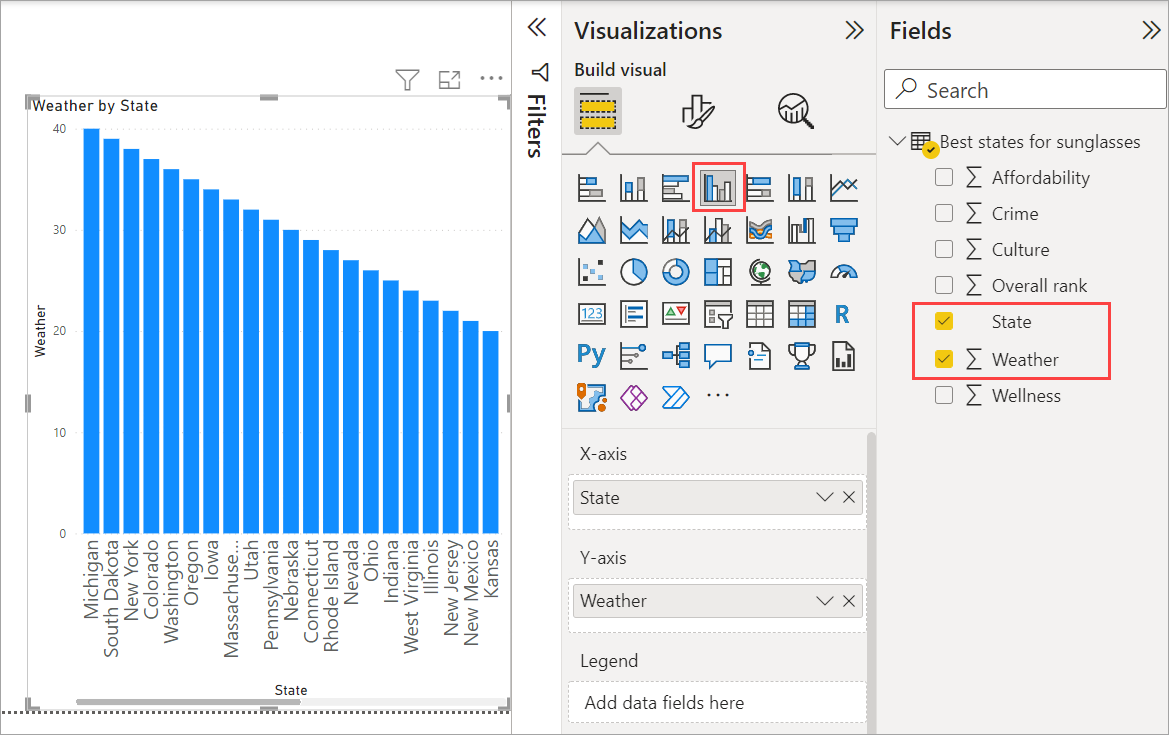
Step 5: Build Visualizations
Power BI offers a wide range of visualization options, including charts, graphs, maps, and tables. Use the Report view to drag and drop fields into your canvas and create interactive visualizations that represent your data effectively.
Step 6: Design Reports and Dashboards
Combine multiple visualizations into comprehensive reports and dashboards. Customize the layout, add filters, and design interactive elements to make your reports user-friendly and informative.
Step 7: Share and Collaborate
Power BI allows you to share your reports and dashboards with colleagues and stakeholders. Publish your work to the Power BI service, and use the collaboration features to work together in real-time.
Advanced Features of Power BI
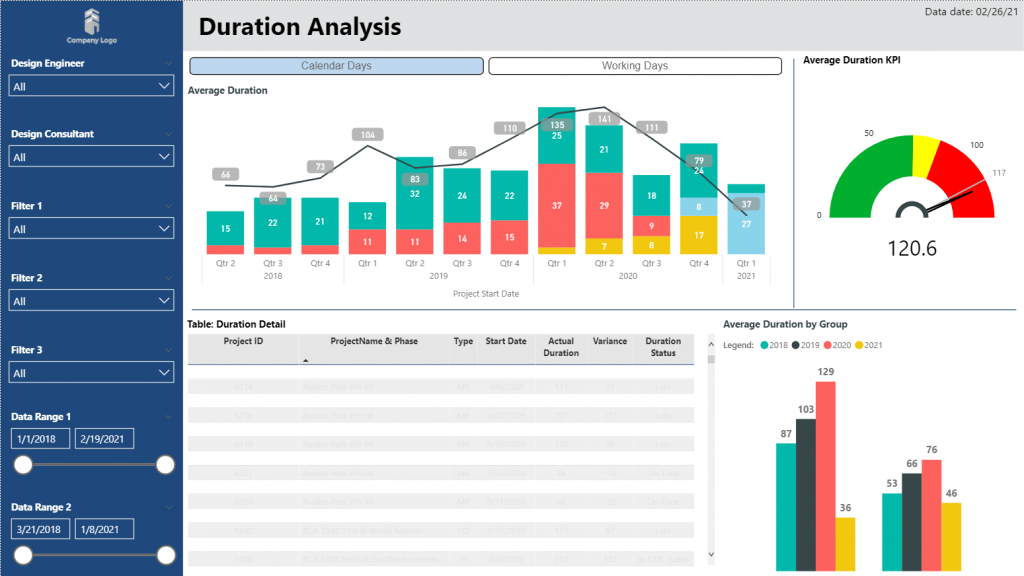
Once you’re comfortable with the basics, explore Power BI’s advanced features to enhance your data analysis capabilities:
1. DAX (Data Analysis Expressions)
DAX is a powerful formula language used in Power BI for creating custom calculations and aggregations. Learning DAX can help you perform complex data manipulations and gain deeper insights from your data.
2. Power BI Service
The Power BI service is a cloud-based platform that enables you to share and collaborate on your reports and dashboards. It also offers features like data gateways, scheduled data refresh, and app workspaces for better collaboration.
3. Power BI Mobile
Power BI Mobile allows you to access and interact with your reports and dashboards on the go. The mobile app is available for iOS, Android, and Windows devices, ensuring you stay connected with your data anytime, anywhere.
4. AI and Machine Learning Integration
Power BI integrates with AI and machine learning tools, enabling you to enhance your data analysis with predictive analytics and automated insights. Utilize built-in AI visuals and integrate with Azure Machine Learning for advanced analytics.
Best Practices for Using Power BI
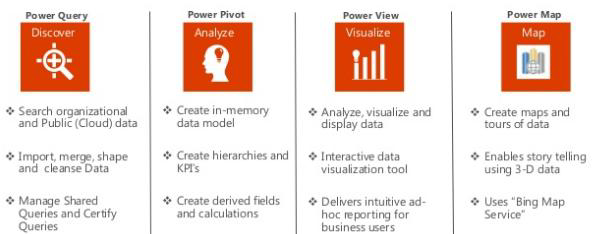
To make the most of Power BI, follow these best practices:
1. Plan Your Data Model
Before you start creating visualizations, plan your data model carefully. Define relationships between tables, create necessary calculated columns and measures, and ensure your data is structured for efficient analysis.
2. Keep Visualizations Simple
Avoid cluttering your reports with too many visualizations. Keep your visualizations simple and focused on key insights. Use filters and drill-downs to allow users to explore data in depth.
3. Use Consistent Design
Maintain a consistent design throughout your reports and dashboards. Use uniform color schemes, fonts, and layout styles to create a professional and cohesive look.
4. Optimize Performance
Large datasets can impact the performance of your Power BI reports. Use data reduction techniques, such as aggregations and filtering, to improve performance. Also, consider using DirectQuery for real-time data access.
Conclusion
Learning Power BI in 2024 is a strategic move for anyone looking to enhance their data analysis skills and advance their career. With its user-friendly interface, robust integration capabilities, and powerful analytical features, Power BI is an indispensable tool for data professionals. By following this comprehensive guide, you can master Power BI and unlock the full potential of your data, driving informed decision-making and business success.
FAQs on Learning Power BI 2024
1. What is Power BI?
Power BI is a suite of business analytics tools developed by Microsoft. It allows users to analyze data, create interactive reports and dashboards, and share insights across their organizations. Power BI integrates with various data sources, including Excel, SQL Server, and cloud-based databases.
2. Why should I learn Power BI in 2024?
Learning Power BI in 2024 is advantageous due to the high demand for data skills, its user-friendly interface, seamless integration capabilities, and cost-effective solutions for data analysis. Power BI skills are highly valued in the job market and can significantly enhance your career prospects.
3. How do I get started with Power BI?
To get started with Power BI, follow these steps:
- Sign up for a free account on the Power BI website.
- Download and install Power BI Desktop.
- Connect to your data sources.
- Transform and clean your data using Power Query Editor.
- Create data models to define relationships between data tables.
- Build visualizations and design interactive reports and dashboards.
- Share your reports and collaborate with others using the Power BI service.
4. What are the main features of Power BI?
Key features of Power BI include:
- Data connectivity: Integrates with various data sources.
- Interactive visualizations: Offers a wide range of charts, graphs, maps, and tables.
- Data modeling: Allows defining relationships between data tables.
- DAX (Data Analysis Expressions): A formula language for custom calculations.
- Power BI service: A cloud-based platform for sharing and collaboration.
- Power BI Mobile: Access reports on mobile devices.
- AI and machine learning integration: Enhances data analysis with predictive analytics.
5. What advanced features should I explore in Power BI?
Advanced features in Power BI to explore include:
- DAX (Data Analysis Expressions) for creating custom calculations.
- Power BI service for cloud-based sharing and collaboration.
- Power BI Mobile for accessing reports on mobile devices.
- AI and machine learning integration for predictive analytics and automated insights.
6. What are the best practices for using Power BI?
Best practices for using Power BI include:
- Plan your data model: Define relationships and create calculated columns and measures.
- Keep visualizations simple: Focus on key insights and use filters and drill-downs.
- Use consistent design: Maintain uniform color schemes, fonts, and layout styles.
- Optimize performance: Use data reduction techniques and consider DirectQuery for real-time data access.
7. Can I use Power BI for free?
Yes, Power BI offers a free version with essential features for data analysis and visualization. However, for advanced features and collaboration capabilities, you may need to subscribe to the Power BI Pro or Power BI Premium plans.
8. How does Power BI integrate with other Microsoft products?
Power BI integrates seamlessly with other Microsoft products, such as Excel, Azure, and SQL Server. This integration allows users to import data from these sources, perform advanced analytics, and create comprehensive reports within the Power BI platform.
9. How can I share my Power BI reports with others?
You can share your Power BI reports with others by publishing them to the Power BI service. This cloud-based platform allows you to share reports and dashboards with colleagues and stakeholders, collaborate in real-time, and manage access permissions.
10. What are the career benefits of learning Power BI?
Learning Power BI can enhance your career by equipping you with in-demand data analysis skills. Proficiency in Power BI opens up opportunities in various industries, such as finance, marketing, healthcare, and IT, where data-driven decision-making is critical.